
I was trying to troubleshoot an issue on a Mac enrolled in Intune and using Platform Single Sign-on (PSSO).
PSSO is really good, when it works. It gives Mac users an end-user experience a lot more like that on Windows when signing in to Microsoft services – Enrol your Mac in Intune with the relevant settings configured, then sign in once on your Mac and then you’re signed in to Microsoft services in Safari, Edge and Microsoft Office apps like Outlook.
In troubleshooting this issue, the end user went into the Company Portal app and signed out. Despite the lack of ⚠️ DANGER WILL ROBINSON ⚠️ style warnings, this broke everything. Well, it completely broke PSSO at least, in a very thorough way.
When PSSO is configured and working, there’s a whole heap of stuff behind the scenes that needs to be set up just right, and all of this configuration got wiped.
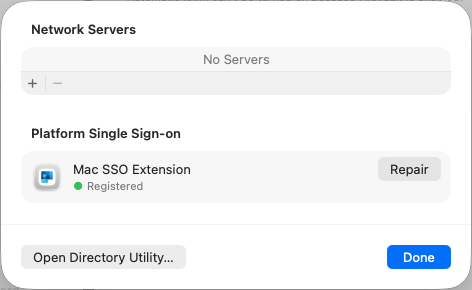
In System Preferences > Network account server, there should be an entry for Platform Single Sign-on
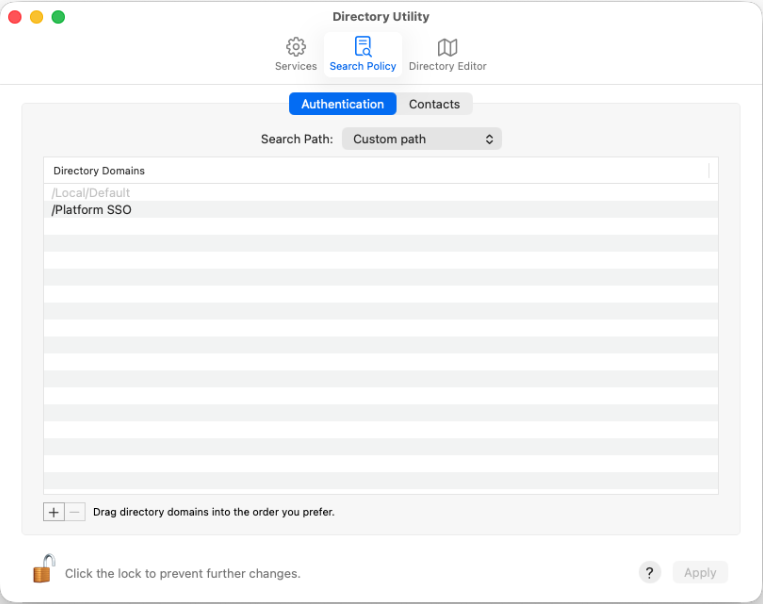
Directory Utility should have Platform SSO listed
And the individual user account should have a whole bunch of Platform Single Sign-on configuration visible
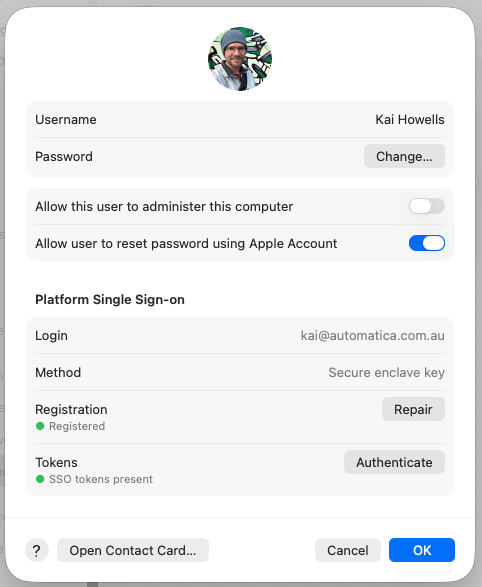
Instead, I was no longer seeing any of this.
In the end, I tried a whole heap of things, but what I think actually fixed it was:
- Checking Entra and deleting the multiple computer records for the machine in question
- Making sure that the machine wasn’t showing up in Intune either – it was, but it was broken. I’ll come back to this.
- Re-syncing devices from Apple Business Manager
- Running
sudo profiles renew -type enrollmentin Terminal and following the prompts to sign in to Microsoft 365 as the end user - Checking the device was back in Entra, and Intune
- Adding the device back to the PSSO group in Intune
- Crossing my fingers and hoping for the best
A few minutes after doing all of this, I was prompted in the top-right corner of the screen to register the device, which I did by signing back in to Microsoft 365, and after another 5-10 minutes, everything seemed to be back up and working once more.
Regarding the machine being visible in Intune, but it was broken – there was an entry for the machine in Devices > macOS, but clicking on it showed an error page. After the re-registration was performed as above, the device entry in Intune started working once more – with the exception of the FileVault Recovery Key and the Local administrator account password. Both of these credentials appear to have been lost – it’s possible I might have been able to keep them if I was able to find the One True Device Record in Intune (there were no less than 14 device records) and delete the other 13, leaving just the original one there. No doubt someone else will do this same thing sometime in the not too distant future and I’ll see if this works to keep only the original machine record.